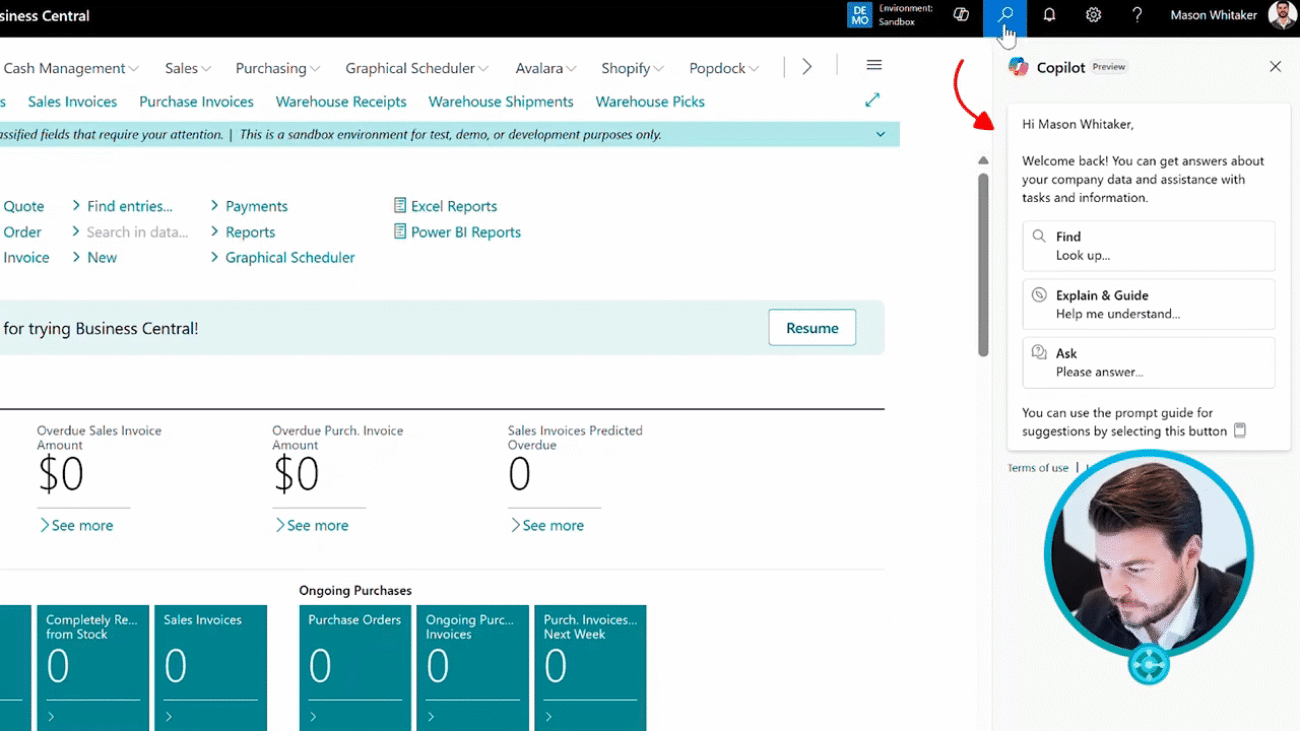
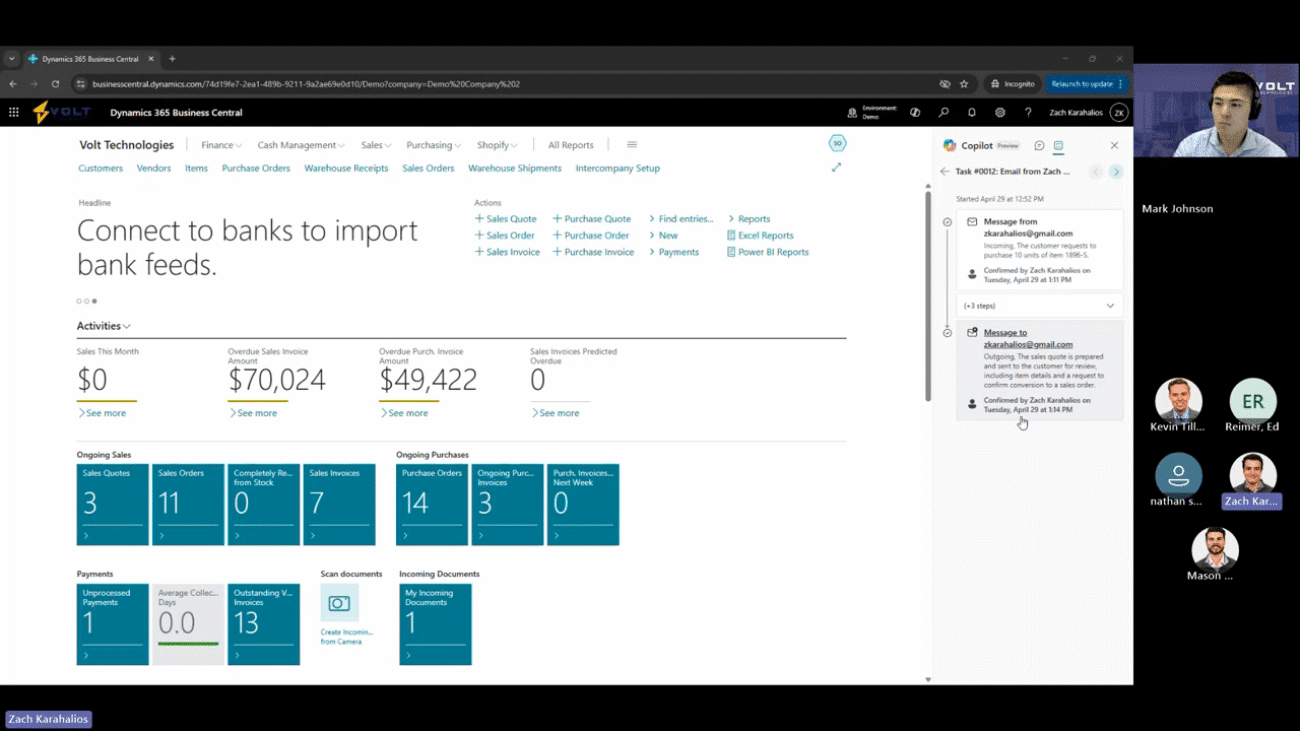
Perfect. So we should be live now. I'm gonna go ahead and share my screen here, but really excited to run through our q two webinar today. For the main topics, it's gonna be our twenty twenty five business central release wave one notes. So as I mentioned, throughout the meeting, if you have questions, please put those in the q and a sections, put them in the chat. I have Mark and Kevin here. They'll be reviewing those questions and going through them, making sure that we're answering everything. If we don't have answers for you today, we'll make sure to take those up as follow ups. So what we'll really be reviewing for today are gonna be their main investment areas. So in release wave one, Microsoft really broke out their investment areas into ten to eleven different spots. So the first one's Copilot and AI. So every Microsoft release wave for Dynamics three sixty five Business Central now, the main focus is most likely going to be around Copilot and AI. So everyone is familiar with a lot of their, you know, recent AI and Copilot abilities that have been added to the systems. Things like marketing text, things like the analyze list view, the automated bank reconciliations, things like that. In this particular update, they've added a new feature that I'm really excited to run through is the sales agent. So this is the concept of agents embedding agents directly into Business Central. The first one that they are rolling out publicly will be the sales agent, but down the road, there will be ones for AP, AR, and many more many more. The new auto fill auto fill feature is something I'm excited about as well. So on items, customers, vendors, you'll have the ability to fill utilizing data that's been used in the past or things like customers and vendors. If you put in a name for a customer or for a vendor, it can actually go Google that customer, find their address, and put that address in for you as well. So it should help that process of creating vendors and creating customers. Finally, we'll look at the summarization. So they've added this summarization feature where you can go to an item, a customer, vendor, and it'll quickly summarize the data on that. On top of that, the other investment areas, country and regional. So Business Central is now live in over a hundred and seventy countries and regions. They've added features into the development, so really simplifying the development process. And then they've also improved the visual studio code integration. E commerce, so if you utilize Shopify, that integration has been enhanced. Every release lave, they're really going through and adding those features in for the integration. So they've gone in, they've enabled an efficient management of planning, procurement and Tory planning, and tax compliance, streamlining operation for both Shopify and Shopify Plus users. They've built in features on the e document integration, so having the ability to utilize optical character recognition, OCR features, and then actually bring in documents and attach those and then have them mapped in. They've added features around financial management as well as reporting and data analysis, so we'll be going through the embedded Power BI reports that have been added into the system. They've increased sys service and platform. So going through and actually getting that performance, the stability, scalability, all of that being added. They've added new user features, UI features. We'll be reviewing some of those. Supply chain management, sustainability management, and then the user experience. So those are their eleven main features that they have invested into. And today, I'm really gonna be focusing on a lot of the Copilot and AI tools. We'll get into some of the reporting analysis. We'll go through the user experience, and then I'm gonna discuss some of the manufacturing. So they if you're a manufacturing user, they've actually added a ton of great new features here. It's something I'm really excited about for our customers that are utilizing the production module. So I'm gonna end with that. That being said, there's all sorts of other features out there. I don't think we'll have time to go through those, but I will send out a follow-up email with release notes, and then feel free to follow-up, ask questions, and I can send over recordings. But for today, we're looking at Business Central. Hopefully, most users are, you know, familiar with the system at this point. I'm not gonna go through a general overview. I'm gonna go ahead and assume that you are, you know, a power user, you're utilizing this. But if this is a system that you haven't used in the past, reach out to us at Bolt. We'll set up a demo. We'll set up an intro call and talk you through that process. Alright. Perfect. So today, I'm gonna start with our Copilot and AI features. So up here, this is nothing new, but we've always had our Copilot chatbot that has been embedded here. This chatbot, we can ask questions, things as simple as, hey. How do I create a sales order? Or you can even ask it questions about your data. So show me the latest invoice or who's our number one customer or number one items that we sell. But what I wanna fake focus on today is this new icon here, our task. And this is where I actually have now all sorts of new agent capabilities. So this agent that I will be focusing on today is our sales order agent. I have mapped this agent to my email, and it will actually review emails that come in. So before we get started, I wanna show some of the setup data. So here we'll see this is our sales order agent. This is by Microsoft. That being said, you do have the ability to create custom agents and embed those in as well. But this is a Microsoft supported one. It's very simple. It monitors incoming emails for sales inquiries, matches senders to registered customer, checks the inventory of the item that they're trying to purchase, and then creates the quote. From there, you can go back and forth with the customer, create that quote, send the quote to them, proceed the quote, and then actually convert that quote to an order. You'll notice here that I have it monitoring my email address, but you could have this set up to be a shared email address, something like, you know, Volt Technology Sales where you have all of your sales orders sent or all your purchase orders sent. But what it'll do is it'll monitor emails Based off the emails, if they look like they are for, you know, purchase orders or sales orders, it's gonna go in and say, okay. Based off that, it's gonna see the item that's been requested. It's gonna select the items that are available. I have it to go through and create quotes, create orders. I have it set up right now that I need to review each step. That being said, you know, once this thing gets rocking and rolling, you feel comfortable with it, everything's good, you can take those review steps off and it'll just start running on its own. So I'm gonna take you through a couple of these, you know, demoing this in real time. It will take a second as we go through some steps. Generally speaking, you know, you're not gonna be really passing back and forth emails within seconds like I will. So I'm gonna show some of the steps, but it does get a little repetitive here. So I've gone ahead and I've already sent an email from my Gmail to my Outlook. And you'll notice here it says, hey, this mail was received and was ready for processing. I'll say review. It's gonna show me an example of the email that was sent. So twelve fifty two from my Gmail account, I sent an email and said, good morning. I'd like to purchase ten of the eighteen ninety six s item. That you'll see here, I've utilized the item number. You can utilize several different options here. So whether it's the item number that the customer uses or if it's your item number, so you have an external reference number or the item description, really anything that can map that item here. So I'm looking at the order. I'm gonna say, okay. You know what? I'm good with this. Confirm this. And what it'll do is it's gonna automatically create that sales quote for me. Again, I could have had this step be automated from the get go if I had just gone ahead and said, hey. We don't need to review this. But since I have that review on, I'm gonna go ahead and click confirm. And now you'll see that it says a task is in progress. Steps appear here once they're completed or ready to review. So it's going through. It's looking at the email. It's looking at the user that sent the email. It's looking at what they have requested as well. So couple things to call out here. It's gonna go ahead and it's gonna create a sales quote for our Zach Carahalis user. It's gonna create the sales quote for the eighteen ninety six, and it's gonna add ten units as well. Everything's gonna work out perfectly here because, one, I've already created a customer for Zach Kerahalis, and, two, I know that I have on hand for this item. If you don't have on hand, you don't have a customer already created, that's fine. So when I come here to review, it's gonna show me the sales quote. It's gonna have the customer mapped. It's gonna have our item, and it's gonna have the quantity already created for us as well. It pulls in all the default data from our customer, Zach Carahalas. But, again, if this email came from Mark Johnson and we didn't have an email or a customer created for Mark, it would actually let me know, hey. There's no customer created for Mark. Would you like for us to go ahead and automatically create that customer for you? So it can take care of that set for you on top of that. And then if it's for an item that you don't have on hand inventory for, it's gonna let you know, hey, you don't have on hand inventory for this particular item right now. Would you like to use a substitute item, or would you like to go ahead and adjust the inventory for this item? So it'll kind of walk you through those steps. I'm looking at the sales quote. I think everything looks good. I'm gonna go ahead and confirm it. Again, this step could be automated. We don't have to review if we don't want, but now you'll see another task is in progress. Steps here appear here once they're reviewed or completed or ready to review. So now what it's actually doing is it's creating that sales quote and creating the email. So it's actually going to create an email. It's gonna have the quote on it. It's gonna show what's being purchased. It's utilizing the template that I have created in the past, and it's also going to attach a document, so our sales quote confirmation. So we'll see here that the outgoing, the sales quotes prepared, sent to the customer for review, including item details, and request to confirm conversation to the sales order. So I'll go ahead and review. So, again, this is based off a template that I have set up. We can set it up several different ways. We can have templates for certain customers, groups of customers, however you'd like to set that up. But you'll see here, it's gonna say thank you for your request. We repaired a sales quit for the item you've requested. It's gonna show the number, the description, the quantity, the total, and then we'll also see that I can look at show attachments. I can slip click my sales quote, and here's a quote that it's gonna be attached and sent to me. Again, this is just kind of our default sales quote that we utilize today, but I'm gonna say, okay. Everything looks good. Let's go ahead and move forward and send that email out. So now it's going ahead, and it's sending that email to my Gmail or to whoever your customer would be in this particular circumstances. So now it's sending that email over. I've just received that email on my Gmail. Let me go ahead and pull this up to just show you what that would look like here. So it's letting me know. Again, we'll see just what we saw within Dynamics three sixty five. It's sent over. I can pull up the sales quote review. Once I feel good with everything, I can just say, hey. You know, this looks great. Let's move forward with the order. We'll send that email out. And as simple as that, what it's gonna do is it's gonna catch that follow-up email, and it's gonna convert it to the sales order for me. So I'll show one more step. After that, it's kind of just a game of ping pong going back and forth, back on your emails. Hey. This looks good. Or I wanna make a change. I wanna make an adjustment. But I'll show this next step. But I think this is something that can save you a ton of time. You know? A lot of our customers, obviously, they have integrations into ecommerce platforms or they have EDI integrations, things like that. But a lot of our customers still manually capture, orders from emails or phone calls. So this is an instance where instead of someone recognizing an email is coming in, they can actually go and have the system automate that process and create these quotes, create these orders automatically. You know, every time, it might not be one hundred percent correct, but it is something that's gonna save you some time. So we'll see. Hey. A new email's come in. Let's go ahead and review it. So we know what it is. We've already seen it. But from here, I can just say, okay. Looks great. Let's move forward with the order. Looks like Zach wants to go ahead, turn that quote into an order today. We'll hit confirm. And as simple as that, it's now going through and converting that quote to the order for me. So this will be the last step that I'm gonna show today. But really, again, from here, we would then send the order just like we did the quote. And then once they confirm the order, they would move forward and it can actually automate the shipping process for you as well or at least notify your team that the order is released and ready to be shipped. So once it pulls up the order here, we'll review that and then I'll show you some cool metrics, that it shows and saves for you as well. So now it's letting me know. Okay. We're gonna move forward with converting this from a quote to an order. So we'll see now this is actually a sales order, not a sales quote. And from here, I'll say, okay. This looks good. I'm gonna go ahead and confirm. And now it's just sending me an email and it's doing the exact same step that we just saw. So again, from here, it gets a little repetitive. I think it is nice that you do have this timeline here. So you'll see the message came in. This is a step that was automated that we never saw, but it actually checked the item availability. I mentioned if we didn't have the on hand, it would let me know. It created the sales quote. We downloaded that sales quote as a PDF, and then it was emailed to my Gmail. From there, we received a response. It said to move forward with the quote for to an order, and then we went through, converted the quote to the order, downloaded the sales PDF, and now the last step here, sending that email just like we did for the quote, but now in order. And, again, from there now, it would just be back and forth until I say, hey. This looks good. Let's go ahead and move forward with the shipping out the order. So you'll notice here I have all sorts of emails that are being tracked. It really does its best to identify what is related to sales. That being said, best practices would be setting up, you know, hey, Volt Technologies at sales at dot com. Having like a shared Outlook drive or an Outlook account that captures all of these orders. So I'm gonna go ahead and turn off the agent for the sake of the remainder of the demo. So that way it's not going ahead and capturing all my emails that are coming in. But the last thing I wanted to showcase here that I think is really cool is this info pane here. So what it does is it actually looks and it says here's all the emails that have been received. Based off those emails, we've created three quotes, we've created three orders, and then it's letting you know how much time has been saved. Instead of going and manually creating these orders, it saved me fifty one minutes. It saved me eighteen minutes on the quotes, and then it's showing you the amount of dollars that you've captured just utilizing the automated process. So, again, I've only done three demo orders, you know, and those were all over the last week. But, hey, we've captured fifty thousand dollars, and you really I've had to do nothing. Instead of having to go in and manually create these orders, manually monitor my emails, things like that, the AI agent has gone through and gone and done the automation for me. So this is just one small example of what's to come. There are all sorts of agents, financial agents. You know, the AP agent is something that I'm really excited about that I've seen. I think it's something that's gonna be utilized with all of our customers. But that's just the first and there are gonna be more and more to come down the road. Yeah. And Zach, I think one thing I'll add is Sure. One of the areas that Microsoft sees is, again, this very agent forward, continuing to build these agents, run these different aspects of the business. But not only are you going to be able to, like you as a human, manage the sales agent, manage the AP agent, but sometime down the future, you'll be able to have an agent that then runs and communicates with other agents, right? So maybe there's an agent and the sales agent then goes and runs into a different agent that hey, helps manage the customer information and make updates and goes and requests info from the customer based on that. That's the future vision is being able to have different agents that interact with each other, can manage each other and help take things off of your plate. Yeah. It's a great call, Mark. Perfect. Alright. So that is one of the first features I wanted to showcase today. Now I'm gonna showcase a couple AI features that have been added or a couple Copilot features. So let's go ahead and we're gonna move over to one of our customers for today. Gonna highlight our tray research customer. So this is all demo data, just Contoso data that has been provided from the system. But one of the new features here that they've added is this summary feature, something I'm really excited about. What it will do on any customer, on any vendor, on any item, it's gonna go through and just look at all the data and summarize it for you. So it's just letting me know quick look here that the customer has a balance of three thousand thirty six dollars. They have a overdue balance of three thousand seven hundred and fifty four. It's showing me their total fiscal sales for the year. It's showing the average collection period, the payment years. And if I wanna even see more, I can go ahead and say, hey. I'd like to see more on this particular customer. And it's gonna provide me with all sorts of data over here in my Copilot chatbot pane. So we'll give it one second and you'll see, you know, it's letting me know the payment terms, their credit limit, the contacts, all of that. So it's just something that, you know, if you only have a couple customers or a couple items or a customer couple vendors, it's probably not super helpful. But a lot of our customers have hundreds, if not thousands of customers, items, vendors. So they can quickly come in, get the summary they need. So something I'm excited about. It's a simple feature, but something that can quickly get you the data you need. Additionally, they've added this auto fill feature. So let's say I wanna go ahead. I wanna create a new customer today. I have my customer template set up. I'm gonna use a blank customer for this scenario here. So I'm on my customer card. I'll tab over. I have a number series set up for the customer. I'm gonna create a new customer today. So we're gonna say Volt Technologies is our customer. You'll see here now that I have this new auto fill feature. So I can say suggest a value for this field and related fields in this fast tab. So what it's gonna do is I'll click this. In one, it will Google the company name. So it's gonna Google Volt Technologies. It's gonna look and find as much information on it as it can. Sometimes it works. Sometimes it doesn't work. This is a preview feature, so we'll see. We're kinda rolling the dice here. But if everything was to work correctly, it would find our company address. It would put it in. But on top of that, it'll go through and it'll look at other fields. And based off our customers, it's gonna say, hey. Here's the most commonly used field or the commonly used value for this particular field. So let's go ahead. I'm gonna say go ahead and do the autofill here. So it will go. It'll Google. It'll utilize, GPT. So you'll see here in this particular scenario, unfortunately, it was not able to fill. Again, this is a preview feature. More and more features will be added, but you'll see two suggestions have been made. So it's put in my document sending profile, and it's also put in my salesperson code. So if I wanna see kind of why it made that recommendation, I can click all I here. Okay. Perfect. So we'll see here, this is our most frequent choice. So this is the most frequently used value for this type of field. I'm gonna say, hey. Let's keep it. So it'll go through. And in that particular scenario, we're good to go. From here, it's letting them know that the customer has no document sending profile. EDocument is modern and efficient choice. Maybe I say, hey, you know what? That's actually not what we wanna use for this particular customer. Maybe they just don't have a document sending profile. That's fine. So in this scenario, it only filled two fields. Again, this is a demo environment. As you have go through you've been utilizing the system for months, for years. You have hundreds of customers you've created, hundreds hundreds of vendors, hundreds of items. It's something that is going to save you time. So that's just one quick showcase of that feature. Something I'm excited about and I think, you know, will continue to help our customers down the road. So those are the three newest Copilot and agent features. That being said, there are several from previous release waves. You know, if you haven't seen those reach out to me, happy to run through demos. What I wanna spend some time on next here is the reporting and analysis. So reporting and analysis, you know, we have our out of the box reports. So Business Central, I say this, you know, in every demo I do, there's over six hundred reports out of the box. These are out of the box reports. These can be things as simple as sales order confirmations, purchase order confirmations. They can be these out of the box simple reports like our financial reports. We can embed our trial balances here. We have our business performance, our total sales, showing me my top sales customers. And then you always have the ability to create Power BI reports and embed those Power BI reports within Business Central as well. We're all familiar with that. From here, you know, I can pull up these reports. I could say, hey. I'd like to see this, you know, in a bigger pane or I'd like to with go ahead and make this full screen. So fit to page, things like that. You can make these bigger. But what I'm really trying to focus on today are the new Power BI embedded reports. So Microsoft has actually created seven different dashboards of Power BI reports that you can utilize. They've broken up into finance, sales, purchasing, inventory, projects, manufacturing, and finally sustainability. It's really easy to set these up. One prerequisite of this is if a user wants to see these reports, they do have to have a Power BI Pro license. So that is one call out. But these reports are created from Microsoft. They're mapped to the data in Business Central. So as long as you have your Power BI setup, connector setup ready to go, It's as simple as going in and looking at the reports. So before I look at those real quick, just wanna showcase this. So it's really easy to set up. It took me about five minutes. All I needed to do was come in and install my Power BI apps for Business Central. So each report or each module has its own app. I come in, I downloaded my finance app, I mapped it in. We can put start dates if we wanted to look at certain dates for reports. And then I did the same thing with sales, purchasing, inventory, inventory valuation, projects, and manufacturing. So now that I have this Power BI set up, what I can do is I can click my hamburger icon here. I can hit the explore more roles, and it's gonna showcase all the modules, all of the pages, all of the tasks that Pet Business Central has to offer. So again, I'm logged in as a system administrator. I know sometimes this looks a little overwhelming, but for the sake of the demo, I like to showcase all of the features. But what you'll notice here under each module is you have a Power BI reports tab now. So you'll quickly see for finance, there's over nineteen reports. For inventory and warehouse, have over twelve. For manufacturing, projects, you have twelve, you have eight. You have your sales, you have your purchasing, all of these reports. And they're not just one report, they're really all dashboards. So let's go ahead and let take a look at some of these. Let's look at our financial overview here. It's gonna pull up the Power BI report. It's very similar to opening this in, Power BI web or Power BI desktop. This is just one quick report here. Right? So it's showing me my revenue, my net profit. It's showing me my top five customers by balance, top five vendors by balance. These reports are already created. They're mapped to fields in business central. You have the ability to adjust those if you would like, but it gives you that ability to come in, visualize that data and see where you're at. I have the ability to come in. I can feature on or I can filter on customers, on dates, I can make adjustments, things like that. Additionally, they've also created some dashboards. So if we were to go back and let's say, you know, I wanna look at the finance report here. This one here, it has my finance overview, but you're gonna notice on the bottom, it has all sorts of reports. So I can look at things like my income statement or my balance sheet or something like, profitability. So here we can see our net profit, our profit margin, gross profit. So these are just some of the examples for finance. I'm not gonna run through every report today, but I'll go through a couple other. Let's take a look at inventory, then we'll look at sales and we'll move on from there. So same thing here. It's gonna always have the overview as the first report. So it's letting me know my inventory quantity by location, my total inventory, my scheduled receipts. So how many purchase quantities of purchase orders are coming in. Gross requirements, that's looking at sales orders. It's looking at production orders. It's letting me know, you know, hey. Here's how much you need to fulfill the orders that are out there today. And it also gives you your projected available balance. So looking at your on hand, looking at your scheduled receipts, and then subtracting out those gross requirements. You'll see I can look at reports like inventory by item or my item availability report or inventory by lot. So if you're utilizing lot numbers or you're utilizing serial numbers, you can come in and look at things like that as well. Yeah. And each of those reports that you the ones like the ones you just showed, know, you can filter those down based on, hey, we didn't wanna see a specific item or we wanna see inventory at a specific location there. Yeah. Great call. As I mentioned, you do have this filter tab. And, yeah, we're looking at it as a whole, but I do have that ability. And maybe well, let's go ahead and let's do that, actually. Let's filter down to an item here. So, again, we're looking at our sales overview, but let's say we actually wanna look at one particular item. So let's look at this eighteen ninety six desk. So now we're just looking at one item. We filter down. We can see things like our daily sales for this particular item. We can go and we can look at sales by items. So this is gonna show all show my category codes, but it's really easy to filter, really easy to come in and adjust these reports. So it's something that I'm really excited about. They're only gonna roll out more and more reports as time goes on. And so as long as you have that Power BI license, you can utilize all of these features, all of them out of the box. Reach out if you have any questions on that. And Zach, we've got a question here from Ed and he just mentioned in assuming that these reports that can be tweaked if our business has slightly different requirements and we wanna make adjustments. That's something that these reports Microsoft has actually made a point of saying that, hey, these are essentially open source reports. They're building these in Power BI, but they're sharing those Power BI files so that you then can take it. You can make the adjustments that make sense for your business. Hey, pull different data in, go and add default filters, go and change visuals, things like that. And then you can utilize those for your own business. Yeah. Great call. Perfect. Alright. So we've gone through Copilot agents. We've gone through reports and analysis. Let's get into user experience. So there's not a ton here, but they have added a couple new user experience things that I think are pretty cool. They're really simple, but something that I think, you know, they go a long way. So if you're familiar with Business Central, you're familiar with your fact box here on the right. This is something that you can see your summaries, your pictures, marketing text, depending on if you're on an item, you're on a customer, you're on a vendor, whatever it may be. You always have the ability to personalize these as well. So I could get rid of sections. I can add sections. But something that I think is really nice that they've added here is now the ability to just quickly, you know, go ahead and adjust the width of the fax box. So it's a really simple feature. Maybe you like it to be half the screen like this. Or if you want it smaller, you always have the feature then to just double click, and it'll go ahead and adjust that for you here. So that's a really simple feature, something they've added, but it just gives you that ability to customize the system more. They've gone ahead and they've curved the corners here, you know, making it, just trying to make it look a little nicer, as well. And they've done that with a lot of things in the system, but I wanted to call that one out specifically since we're already looking at this. Another feature that they've added is if we go to our feature management, and this is something that you won't really ever notice, but it actually goes a really long way. And that's gonna be the optimized screen estate usage on the web. So this is a new release. And what it does is it now actually looks at the screen size that you're utilizing and bases things off of that. So it sounds really simple. It sounds like something that the system should have had. It's now added. So since I'm on a bigger screen and I'm utilizing this, I've shrunk this down. This would generally actually be narrower than we're looking at right now. But I'm using this on a thirty two inch monitor and it now can see and recognize that and it's made this wider. So it's much wider than it usually would be. This will be the same if you're utilizing on a tablet, you're utilizing on a phone, whatever it may be. So it's a really simple feature, something that, you you didn't know it was there, you probably wouldn't have noticed it. But I think it's something that a lot of our customers are gonna really enjoy. On top of that, one last quick user experience thing I wanna talk through is the auto save feature. So whenever you're making adjustments to an item, to a customer, to a vendor, a purchase order, a sales order, you're gonna see this saved up here. So up until the latest release wave, how it works is I could go through, I could adjust twenty fields on this item. It's not actually gonna save them until I close out the item card. They've added a new feature here. So let me I should have highlighted this on the feature management screen earlier, but is the auto save with every field change. So now anytime one field's changed, it's automatically saving. So let's say, for example, here I wanna add a purchasing code. I'll put in call in. I'll hit tab And okay. Didn't adjust it there. Let me go ahead and see. Wouldn't it be a demo if we didn't run into one issue here? Let me try changing this one. There we go. So I've changed the stock out warning to no, and you'll see up here it changed the save. So I'll do it one more time just to showcase, and it's automatically saving. So something that, again, you probably wouldn't notice, but it's just ensuring that any and every change you make is always being saved. So instead of me going through making five changes and then, I don't know, your computer crashes or something, usually it will be good enough to save that, but now you don't ever have to worry about that. So again, super simple, nice feature that's been added and just ensures that, hey. You don't ever have to worry about you making a change and not being saved on the system. Great. So now, lastly, I wanna talk through manufacturing. So I know a lot some of our customers use the manufacturing module, some don't. This will be the last thing that I'm gonna cover here today, and then I'm gonna open it up to q and a. But I'm actually really excited about this. They've added a ton of new ReleaseWave notes here for manufacturing. So one, the first feature they've added here is the ability to actually allow multiple users to go in and make adjustments to inventory. So I will say this is something you probably should proceed with caution on. But in the past, if you had two two users on an item ledger entries or on a job ledger entries or resource ledger entries or warehouse ledger entries, making adjustments, you could run into a locking issue. So if Mark was trying to increase the inventory of an item and I was trying to increase the inventory, it would say, hey. Another user's in here making adjustments to this. Now if you enable this feature, it will actually allow multiple users to go in and make adjustments to these ledger entries. So, again, something that I would recommend being careful with, but, you know, it's something that does give you that flexibility now to allow multiple users to go in and make those adjustments if necessary. Yeah. And Zach, I'll add that the issues that we've seen around this before, I don't wanna paint too negative of a photo here in the prior functionality because it was pretty rare occurrence where this would happen. But it's possible, It had to be that exact same moment. If there were tons of users hammering the system, on occasion, you might get this where, hey, it overlaps and there happens to be it. It would also happen if, hey, there's a batch job running in the background that happened to grab a record and somebody was trying to hit at the same time. So that's kind of inherent nature of how their database structure is working before. So they've made this new enhancement that lets you, that gives you a technical way around that to help ease that issue where there might be a locking scenario. Yeah. Thanks, Mark. Perfect. So on top of that, they've added some streamlined product design tools into manufacturing. So let's take a look at some of those. I'm gonna navigate to my items, and I'm gonna find one of my items that utilizes a bill of material. And I'm gonna use this item right here, my SCM one thousand and four. So a couple quick things that they've added here. If you're utilizing bill of materials and you have active versions, in the past, to find those active versions, you would have to go to related, to bill of materials, production, and then to my production BOM. That's a thing of the past now. They've added a button here that can just take you to that active production BOM right away. So instead of having to go click into the BOM and then look at the versions, I can go directly to that. So, again, something super simple doesn't make a big change, but I think these next two are something that our customers will really like. First, they've added the ability to edit in Excel on bill of materials and on bill of material versions. So this gives you the ability now to actually export these to Excel, make changes, and publish it back. In the past, you only used to be able to open these in Excel. So it gives you the ability to go in and really mass update, make the adjustments, and something I think, you know, will save you a lot of time. But the last thing that they've added here that I'm really excited about is this production BOM version comparison. So in this particular bill of material, I have three versions. So I have our main, I have v two, and I have v three. In the past, I would have had to go. I would have had to look at version two. I'd have to look at version three, kind of, you know, maybe even open an Excel and then kind of go through and validate what's different between those versions. But now you have the production BOM version comparison. So now from here, I can actually see the three different versions. I can see the quantities. If a version had an additional item or it didn't have an item on there, for example, you know, that would be here as well. So let's go ahead and actually let's look at one of these versions. I'm gonna add another item just to kinda show what that would look like. So I'll make this really quick. We'll just add a random item here, and I'll get back. Close. Go to my production BOM comparison. And now from here, you're gonna see this eighteen ninety six item has been added. So it has a quantity of one here, but zero on the other. So it lets you go and see, hey, what's been changed during these versions? And it gives you the ability to compare them. So something that again is super simple, but something that I think, you know, it's a great feature that'll be helpful down the road. On top of that, you've always had the ability to block items. So So you'll see here, I could block an item. This will block it from all transactions, purchase orders, sales orders, production orders. You also always had the ability to just block it from sales orders or just service orders or just purchase orders. Well, now they've actually introduced the ability to block production. So in the past, you couldn't block it from production output. Now you can. And it's even gone a level deeper on that, and you can do that on variants as well. So they've added that production block. So you can block just certain variants if you would like. So, you know, something that I think it gives you that ability if, hey. We don't wanna manufacture this item anymore, but we do wanna sell out of the on hand inventory we have. So you block it from production orders. That way no one accidentally creates production orders, and then you can sell out of the on hand inventory you currently have. Great. The next couple here are gonna be on production orders. So this is something that I think our customers are really gonna like. And this is the ability to actually reverse item ledger entries on production orders. So I can go to our lease production order. I have one production order out here that I wanna look at. This is my one zero one zero zero one release production order. And this is a simple reservoir assembly for one, but we'll notice that it's already finished. So if we were to go and look at our related our entries, we're gonna have our item ledger entries. So for the items that have been consumed, we'll have our capacity ledger entries. So what actual tasks were taken, what was our overhead, the labor cost, things like that. In the past, if I wanted to go ahead and make an adjustment so let's say we consumed one of this item. Well, what if we actually consumed two or we didn't actually consume this? We would actually have to go back and manually adjust the inventory. That's a thing of the past now. They've gone ahead and they've added a new feature here that is our reverse production order transaction. So again, something that I would say to be careful with, but maybe you accidentally finished a production order and you actually didn't consume these two items here. Instead of making an item ledger entry and then having to remember what that item ledger entry was associated with, I can just reduce that or reverse that production order. It's gonna reverse the entry. Correcting entries will be posted. So the way that I have this set up is going to go in reverse the entries and then hit the correct account. So there is some setup that goes into this, but I'm gonna go ahead and simply just say, let's go ahead and reverse these entries. You'll see the journal lines were successful, and it actually adds that line. So it's letting me know that we've added those two on hand here. You can do these with your capacity ledger entries as well. Another feature that they've added is the ability to actually reopen finished production orders. This is something that I would be careful with. I've kind of always been under the idea or the thought that you should never really reverse a finished production order, but I know that mistakes are made. And so now you actually do have the ability to go to a finished production order. I can go to actions, and I have this simple reopen scenario here. So maybe there was a mistake that was made. Maybe this wasn't actually finished. I can quickly go to that finished production order, click reopen, and it's gonna go ahead and move that to release production order. It's asking me if I wanna go ahead and look at it. So I'll say yes, and it's taking me here now to that order that was closed and has now been reopened. So, yeah, I've given you the ability, the flexibility to come in, reopen these orders. It's something that you can give to all users. You can give to certain users. Maybe you just want your production manager to be the one who can do that. That's totally fine. But I wanted to make sure I highlighted that here. Additionally, they've added a new feature that you can utilize in the manufacturing setup is that you can actually now include non inventory items to produced items. So what this does is you can actually include non inventory items on bill materials, and the cost of that non inventory item will be captured on the standard cost calculation. So in the past, if you had non inventory items on bill materials, they were really just there. But now it'll actually calculate the cost that's there if I was to enable this feature. So do I wanna include the cost of non inventory items and the cost of produced items? Simply turn that on. And moving forward, if I have non inventory items on materials and release production orders on finished production orders, it will consume and calculate that cost for me as well. The final feature that I wanted to showcase today is on our release production orders. So this is something that I thought for Business Central should have for a really long time. So if I wanted, I could go and I could change the status of this order to finished. It's already been consumed. We've done the output. We just haven't released it or we haven't moved it to the finished status. You would think that I could go and I could select multiple orders. I could change those status to finish, and it would let me do that. But actually, up until this release, what you would have to do is you would have to go to the change production order status page. So we have our change production order status. From here, I could select production orders. So we'll say go to release. I could select as many of these as I want, and then I could change that status. That's a thing of the past. Now this page will be deprecated that we were just looking at. It really is as simple as going and just selecting two orders, changing the status. I'm gonna change them to finished. I'll say yes, and it's gonna go ahead and it's gonna change both orders to finish for me. So something that seems super simple, but it's something that I know is a huge pain point for a lot of our customers today. And now instead of having to go to that page, you can just go directly to released orders, directly to your planned orders, and change those statuses. Something I'm excited about and I think we'll see utilized a lot. Perfect. So I'm two minutes over. I wanted to leave fifteen minutes for questions. I know we've gone through a couple. Mark's been helping me out and answering those as well. But wanted to open it up to everyone here, see if there are any questions they had, anything we can help out with. I will be sending out this recording. I'm also gonna attach all of the release notes. So, I mean, there were hundreds of features that were added to Business Central during this release. And, you know, I didn't have time to showcase all of them, but I'll send out the release notes. Please feel free to ask questions. If there's something on the release notes that you're curious about, I can create a recording, send that out, or I can find a recording that Microsoft has. So I've gone through. I've highlighted really the main Copilot AI agent capabilities. We've gone through the reports and analysis. We looked at some of the user experiences. We looked at manufacturing. There were a lot of field service tools that have been added as well. So they've been upgrading that integration between d three sixty five field service and business central and then the subscription model. So the subscription modeling, that's something that's new to Business Central. There were a lot of features that were added to that as well. So I didn't have time to get to those. Those were kind of two that was, you know, wanted to include on top of, but more than happy to do follow ups on that down the road as well. But hope everyone enjoyed this and then gonna give, you know, one final opportunity to ask any questions. And then from there, we will make sure to send everything out on top of this. Great. Awesome. And I think last note I'll add, obviously, was, you know, the title a lot about the agents and some of the capabilities from AI. And obviously this is again very much focused in business central. That's what Zach was covering and the releases that Microsoft is doing around agents in DC. But just wanna Microsoft is also investing doing a lot of R and D in just the general agentic capabilities of AI. So even if you're just looking at something like Microsoft Copilot Studio, they're giving you the keys to go and build. Hey, I want an agent that acts outside of BC, it taps into some of the other aspects of Microsoft's ecosystem, whether that be power platform, many other data sources we have in the cloud. They're giving a lot of the abilities and building that out so that you can build agents that are not only in BC, but also just in the cloud in general. So definitely if there's any interest there, we're always willing to talk through that. Please just let us know and then we can have a conversation about that as well. Great, thanks Mark. And really appreciate everyone attending. We'll be sending out this recording. Hope everyone enjoyed and have a great rest of your day. Thank you everyone.